Email on your own domain, minus the DNS homework.
Mailbuda hosts mail for your domain, writes the records to Cloudflare, and opens one calm inbox for every mailbox.
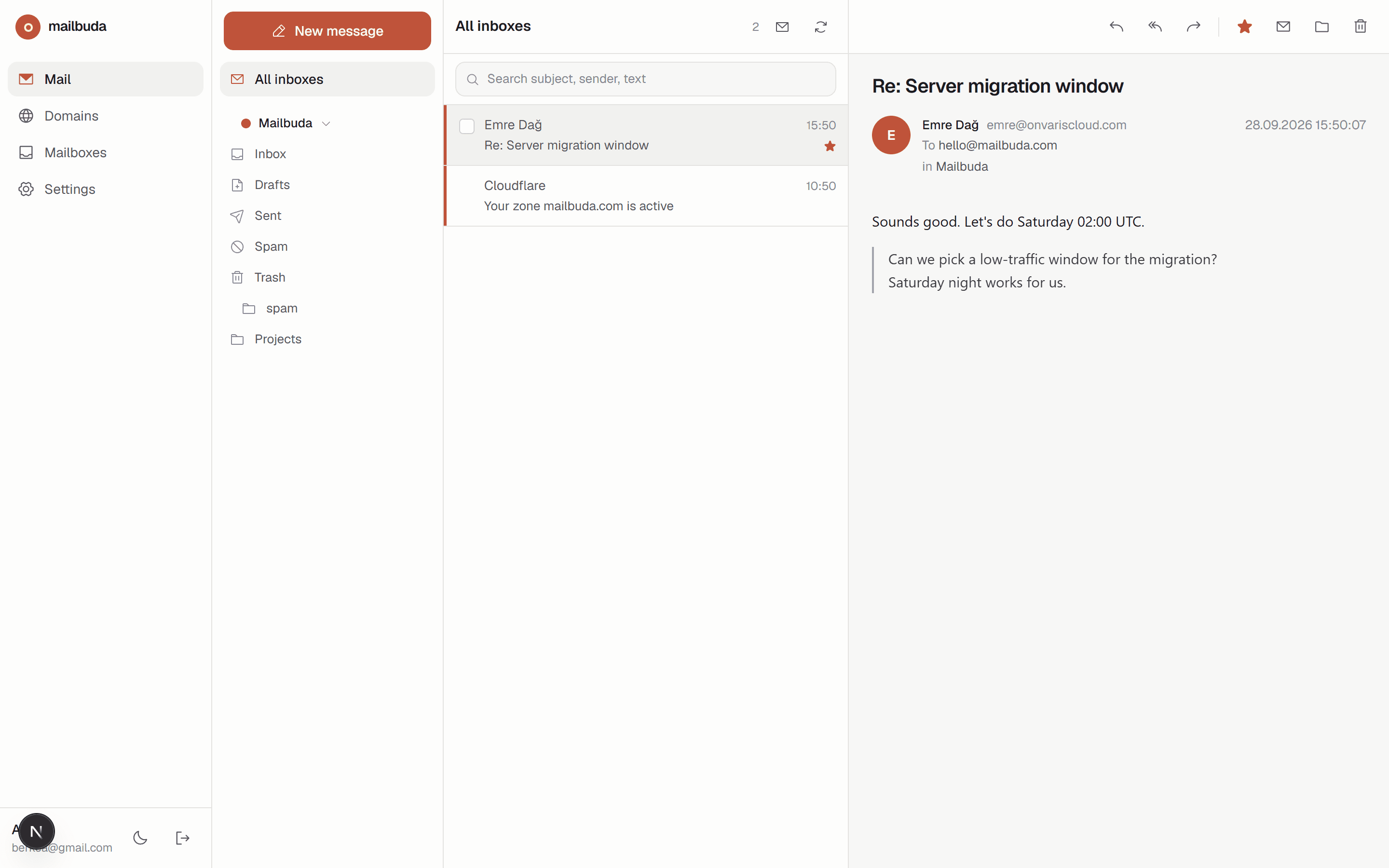
From a bare domain to a working inbox in three moves.
- 01
Create an account
Sign up, then connect Cloudflare if your DNS lives there. Otherwise skip it and copy the records by hand.
- 02
Add a domain
Mailbuda verifies ownership, provisions mail hosting, and writes MX, SPF, DKIM and DMARC records for you.
- 03
Create mailboxes and read
Each mailbox is live the moment you create it and appears in the webmail next to the others, in the order you choose.
Everything your mail needs, nothing that gets in the way.
All inboxes, one list
Every mailbox on every domain lands in one unified inbox, color-coded by account. Switch to a single mailbox when you need focus.
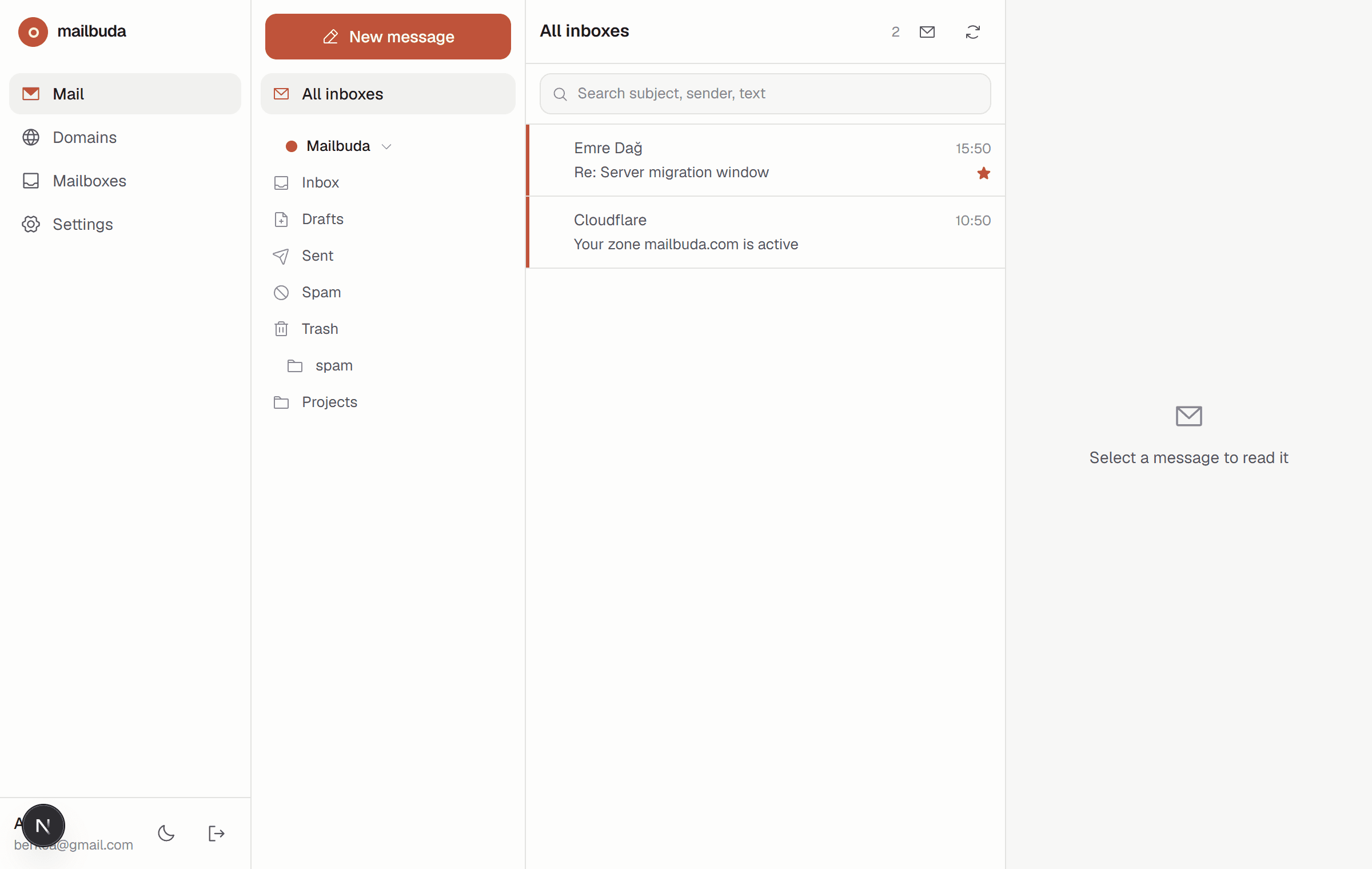
Folders in your order
Create, rename, hide and drag folders. Reorder mailboxes the same way. The sidebar is yours.
Secrets stay sealed
API keys and mailbox passwords are encrypted with AES-256-GCM before they touch the database.
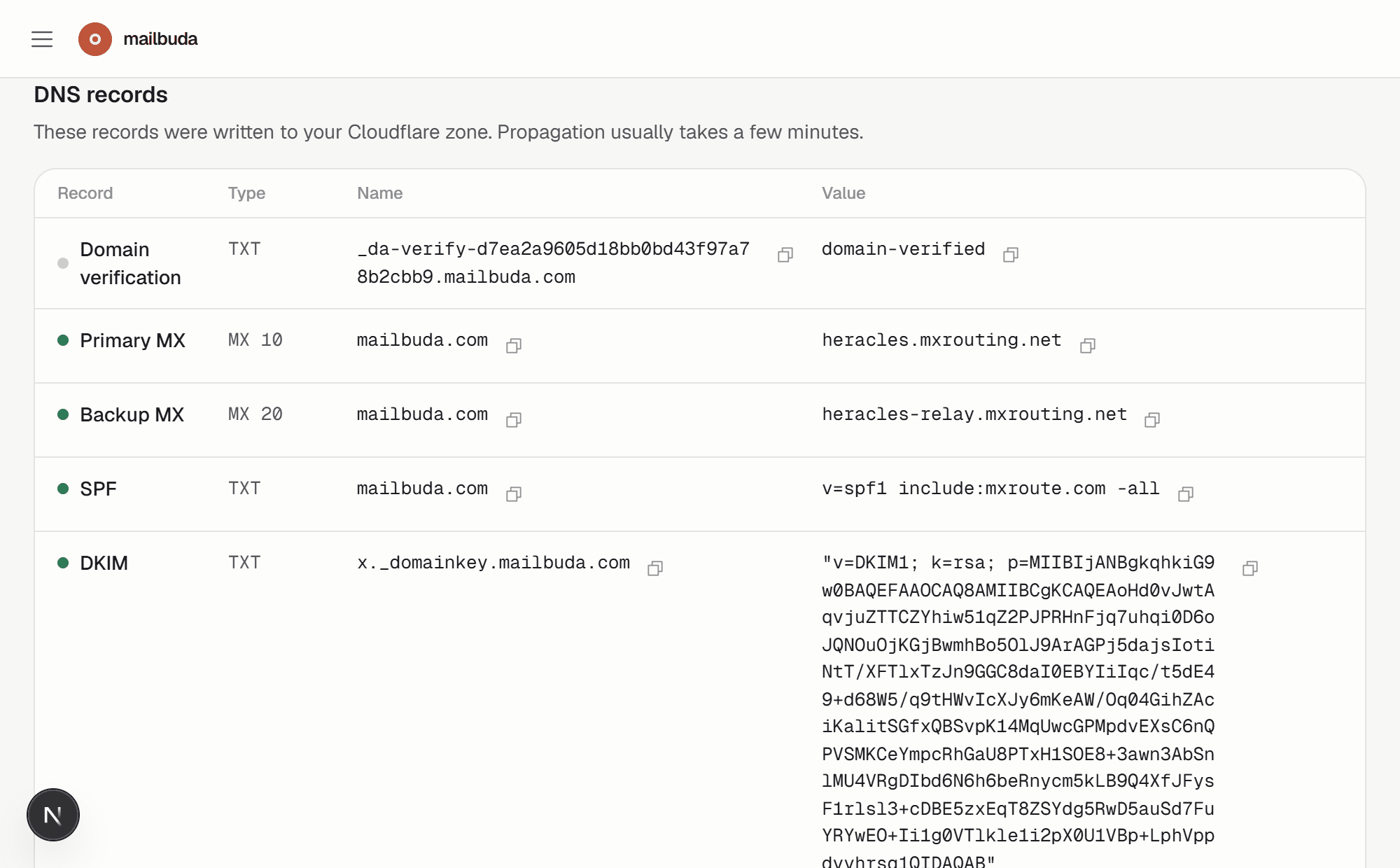
DNS that writes itself
Verification, MX, SPF, DKIM and DMARC are pushed to Cloudflare and checked against public resolvers until they resolve. No Cloudflare? You get the exact records to paste.
Delivery you do not babysit
Sending, storage and spam filtering run on dedicated mail servers with SPF, DKIM and DMARC in place from day one. You only see the inbox.
The name comes from Buddha. Not the religion, the posture: sit down, breathe, deal with what is in front of you. An inbox should feel like that.
Set up your first domain tonight.
Bring a domain. The rest takes a few minutes and one cup of tea.